A Perth home on Home Assistant: solar, battery and two electric cars, set up remotely from Melbourne
This home in Perth already had solar, a battery, an EV charger and two electric cars. Each had its own app. We brought them into one Home Assistant system and built the dashboards, all from Melbourne, without a visit.
What the client wanted
The home had good equipment that did not talk to each other. The solar and battery had one app, the car charger another, each car its own, and the cameras, the doorbell, the lock and the garden watering had more.
The client wanted one place to see and run all of it, on a tablet on the wall and on the family's phones. He also wanted the cars to charge from the sun where possible, and not from the grid at the expensive time of day.
What we connected
- Solar and battery: an 11 kW solar system with a 24 kWh Sigenergy battery
- Car charging: an Evnex charger, with Home Assistant setting how fast it charges
- Cars: two BYD electric cars, an Atto 3 and a Seal
- Security: cameras, a video doorbell and a smart lock
- Garden: Rain Bird watering, zone by zone
- Around the house: lights, smart plugs, speakers and a reminder for bin night
Nothing was replaced. Everything in this list was already in the home.
Charging the cars from the sun: our Auto mode
This was the part the client cared about most, so we designed the charging rules ourselves instead of relying on the charger's own solar setting. In Auto, Home Assistant reads the home's own meters and sets the charger's speed to the solar power the house is not using.
- The house comes first. If the house starts drawing from the grid or the battery, for an oven, a kettle or a passing cloud, Auto turns the car down within about a minute.
- The battery gets its share. Auto leaves some sun for the home battery until it is full, then gives the car everything that is spare.
- Gentle starts. A car starts at the slowest charging speed and climbs as the sun allows, so plugging in never pulls a sudden load from the grid.
- Steady steps. Speed goes up in steps at most every ten minutes, so a patchy day does not leave the charger changing constantly.
- Careful in the evening. In the expensive evening hours Auto pauses when the sun is not enough, and a Manual charge still running hands back to Auto when the expensive rate starts.
- It notices what the charger misses. If the charger fails to see a car being plugged in, Home Assistant reads the car's own plug sensor and, if needed, asks once on the family's phones to plug it in again.
There is also a Manual mode for the days a car simply has to be full, and a Schedule switch for one overnight charge at the cheaper night rate, which switches itself off in the morning.
We tuned this over several days after handover, using the home's real readings.
The result
Before Home Assistant ran the charger, the home used 78% of its own solar and the cars got about half their charge from the sun. After, with about the same sun, the home uses 93% of its solar, and on Auto the cars charge almost entirely from the sun.
These are this home's own readings.
The dashboards
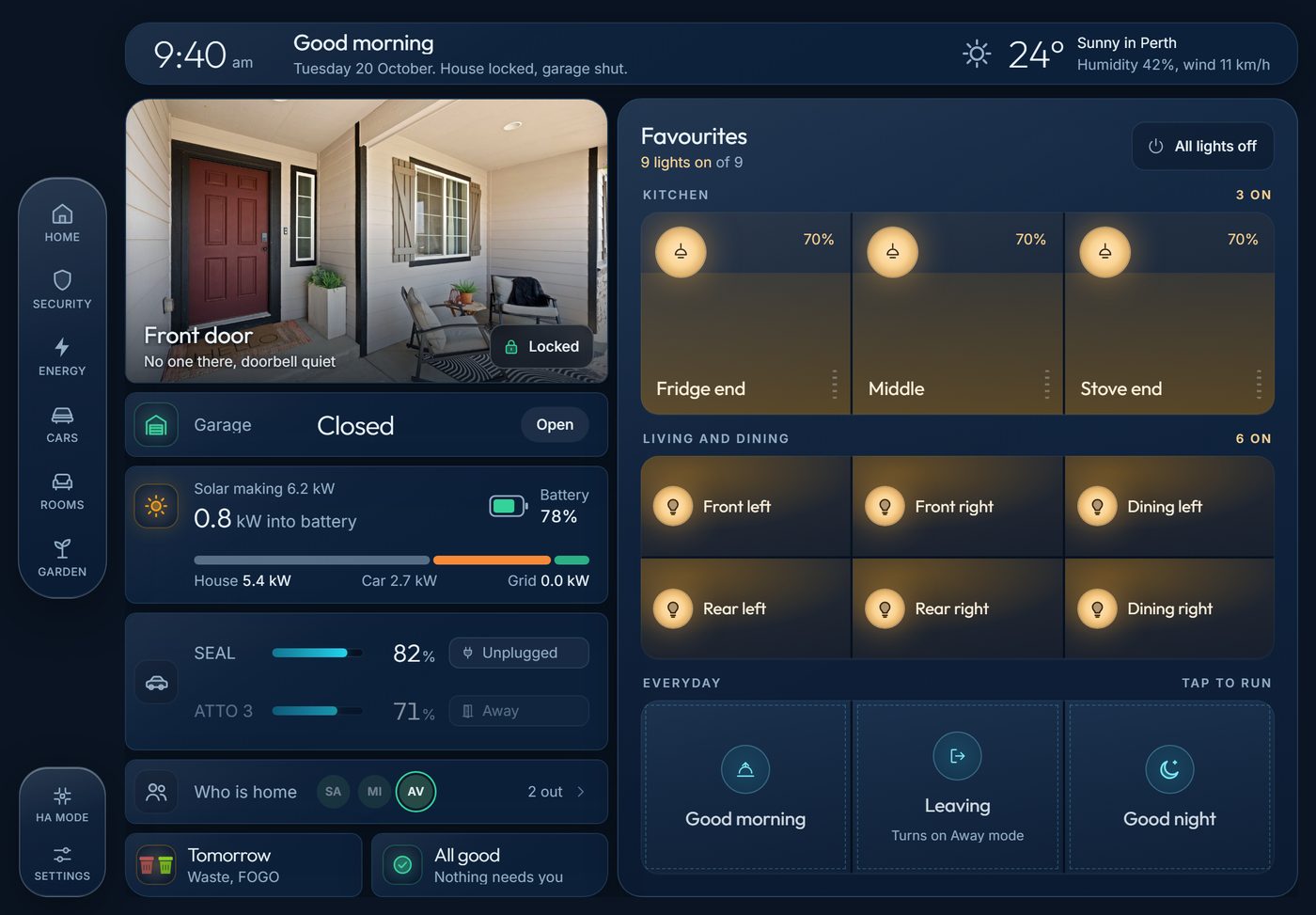
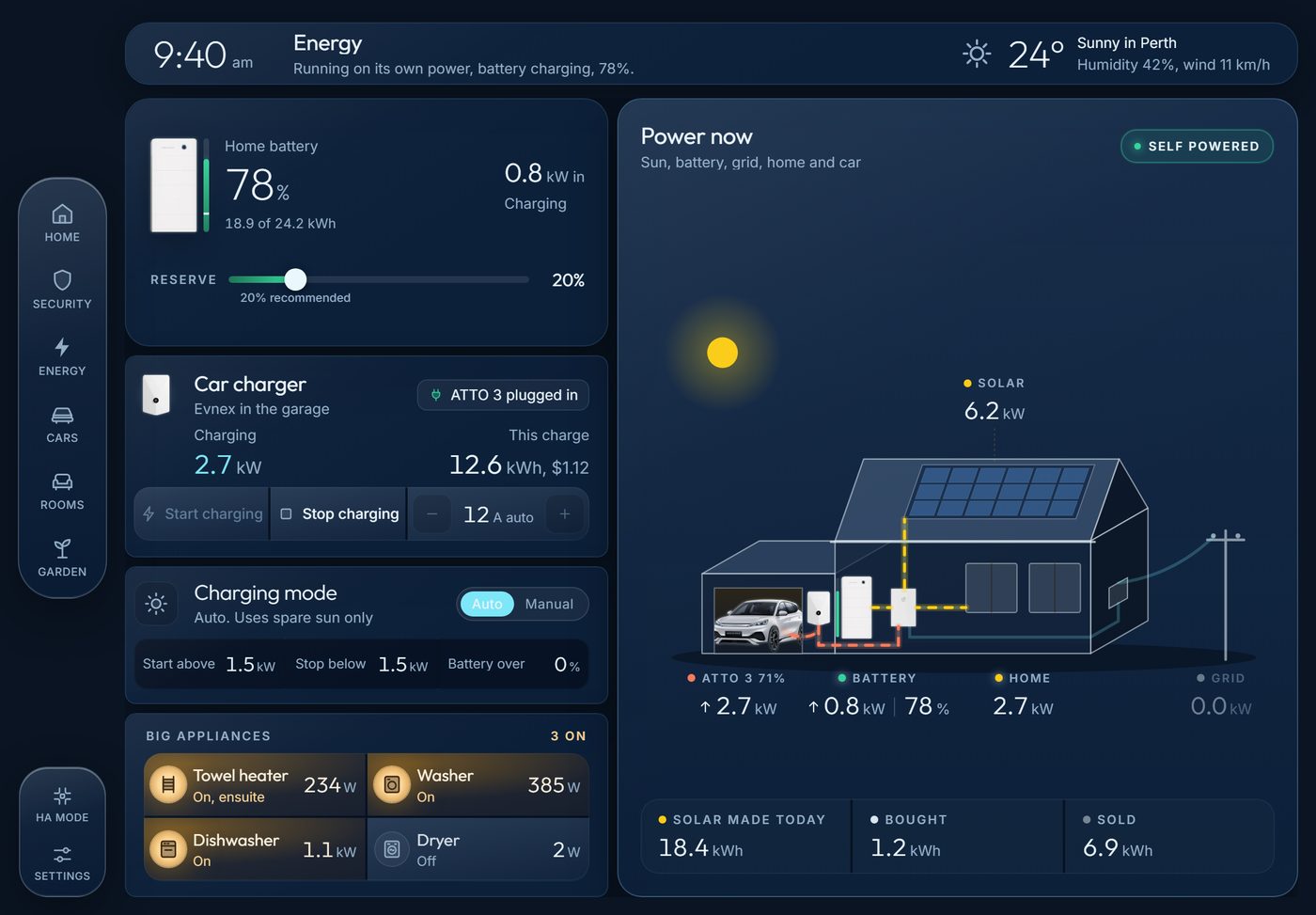
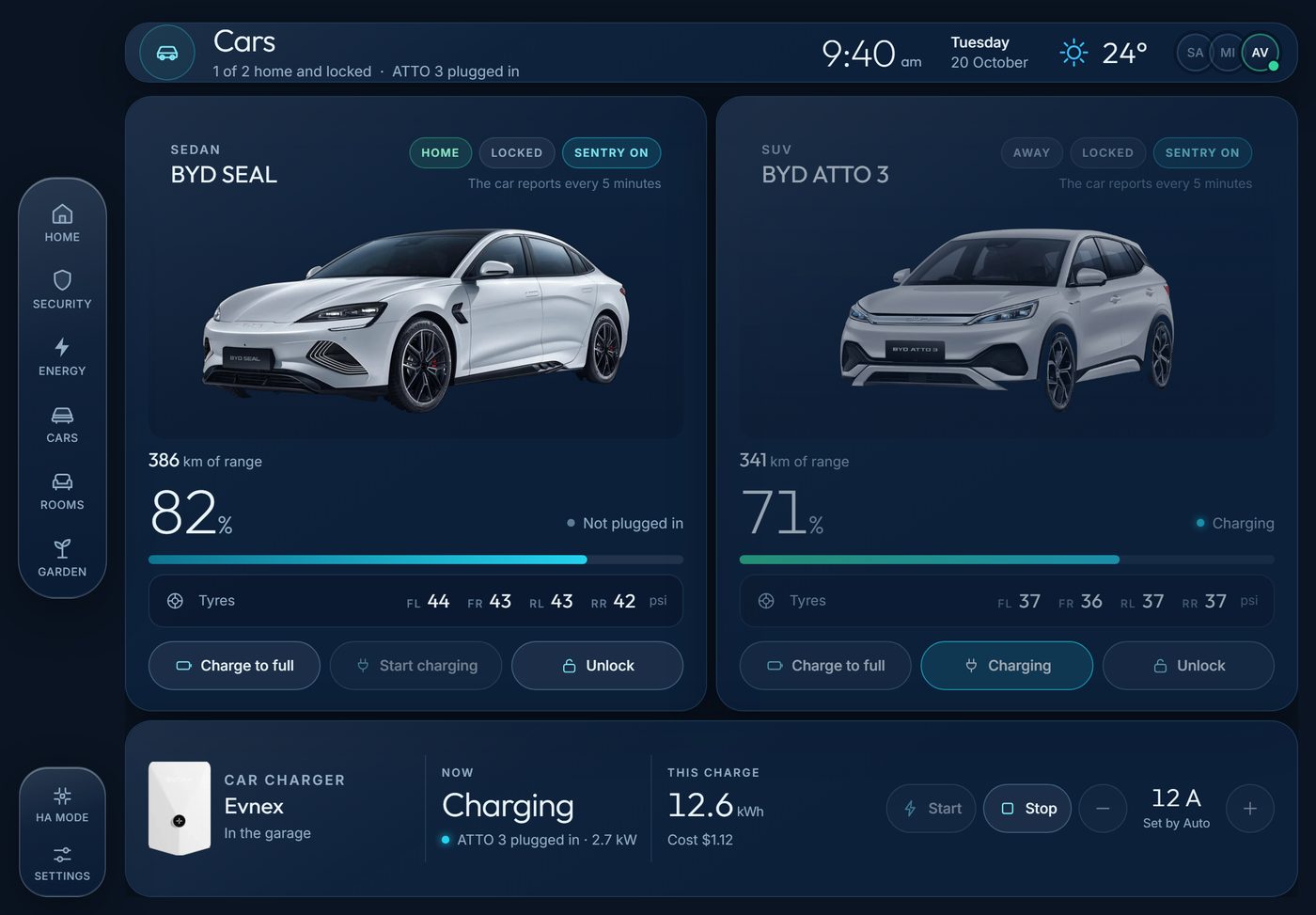
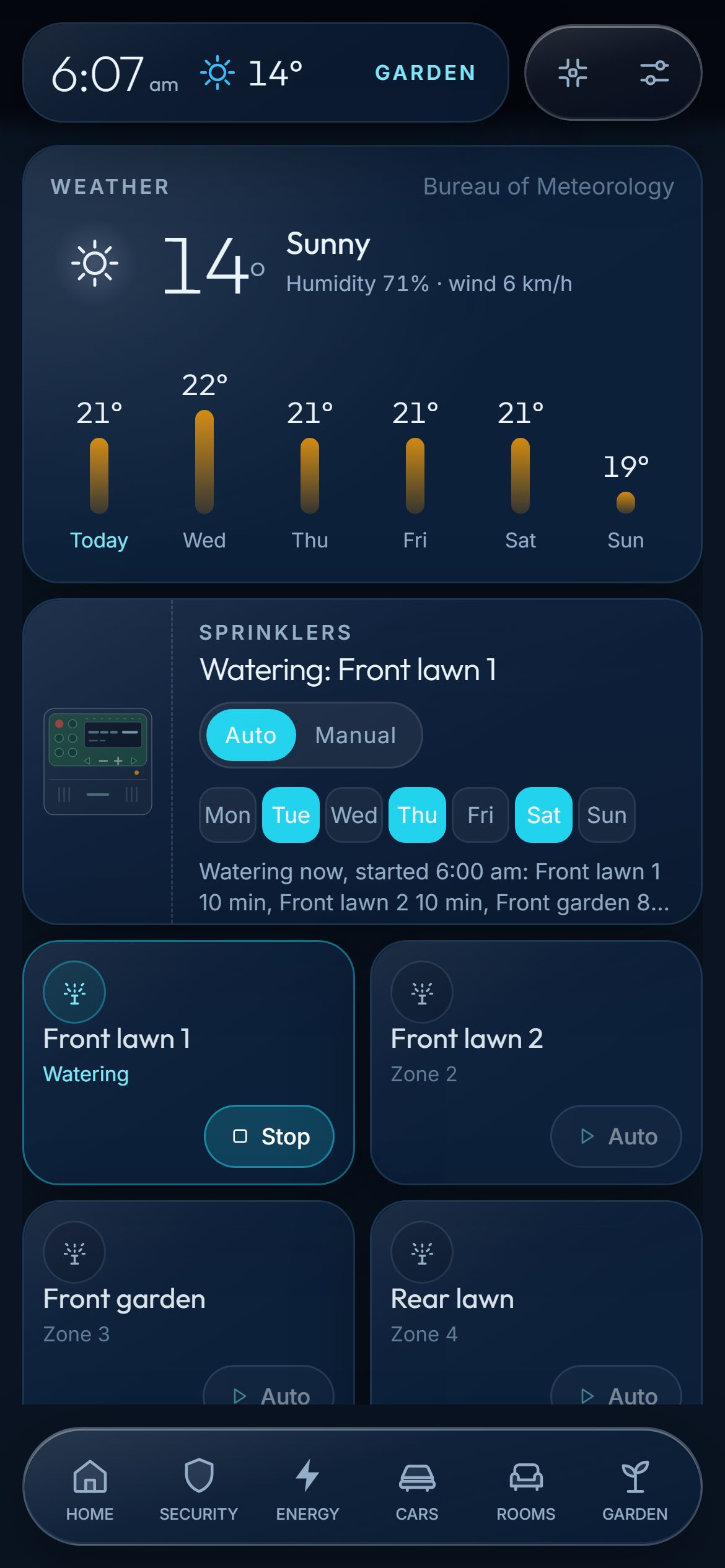
The home has two dashboards in our own design: one made for the tablet on the wall and one made for phones. They share the same six pages: Home, Security, Energy, Cars, Rooms and Garden.
The Energy page shows where power is coming from and going to right now. The Cars page shows each car's charge and the charging mode. The Garden page runs the watering and shows when it last ran.
How it was done without a visit
The client gave us access to his Home Assistant over an encrypted private network, which he can switch off at any time. No ports were opened on his router, so nothing in the home is exposed directly to the internet.
We worked from a written list of what he wanted, which he filled in on a page inside his own Home Assistant. Logins for his devices were collected through one-time secure links, not by email or text message.
Handover was a call, with the client at his dashboard and us at ours. For 30 days afterwards he can ask for changes on a page in his dashboard, and we make them remotely.
I recently took the plunge into the world of HA. AI Smart offered an amazing service which was completely achieved remotely and with secure links for sensitive data (they are Melbourne based and I live in Perth). Their communications were always clear, prompt and feedback/updates were regular.
My main wants for HA was better integration of my BYD’s along with greater control of charging behaviours with my solar/battery setup - all of this was achieved as promised!
There were plenty of other wins also, bins night reminders, washer/dryer habits and controls, the list go on.
The best part of all was the finished look of the dashboard which included both a wall tablet and mobile phone version.
Questions about this project
Can Home Assistant be set up remotely in Perth?
Yes. We are based in Melbourne and set up Home Assistant remotely for homes anywhere in Australia, including Perth. This home in Perth was set up and handed over without a visit.
Can Home Assistant charge an electric car from spare solar power?
Yes, with a charger that Home Assistant can control. In this home, Home Assistant reads the spare solar power and sets an Evnex charger's speed to match, with Auto and Manual modes.
Do I need to buy new hardware?
Not always. This home already had a Home Assistant hub and all of its devices. For a home starting fresh, we post a hub that is set up and tested before it leaves us.
How much did this cost?
This was our HA Boost package, which is typically $500 to $1,500 depending on the scope agreed in writing before we start.
Have a home like this one?
Tell us what you have and what you want it to do. We reply with a straight answer, and the first phone call is free. See our packages for what each one includes.
Get a quoteOutside Melbourne? Let's talk.
Tell us about your home and what you want it to do. We will tell you plainly whether a remote setup suits you. The first phone call is free.
Get a quote