Screens your family uses.
Automations you never think about.
A smart home succeeds or fails on two things: whether the dashboards make sense to everyone in the house, and whether the automations quietly just work. This is where we spend our craft.
Dashboards designed like apps
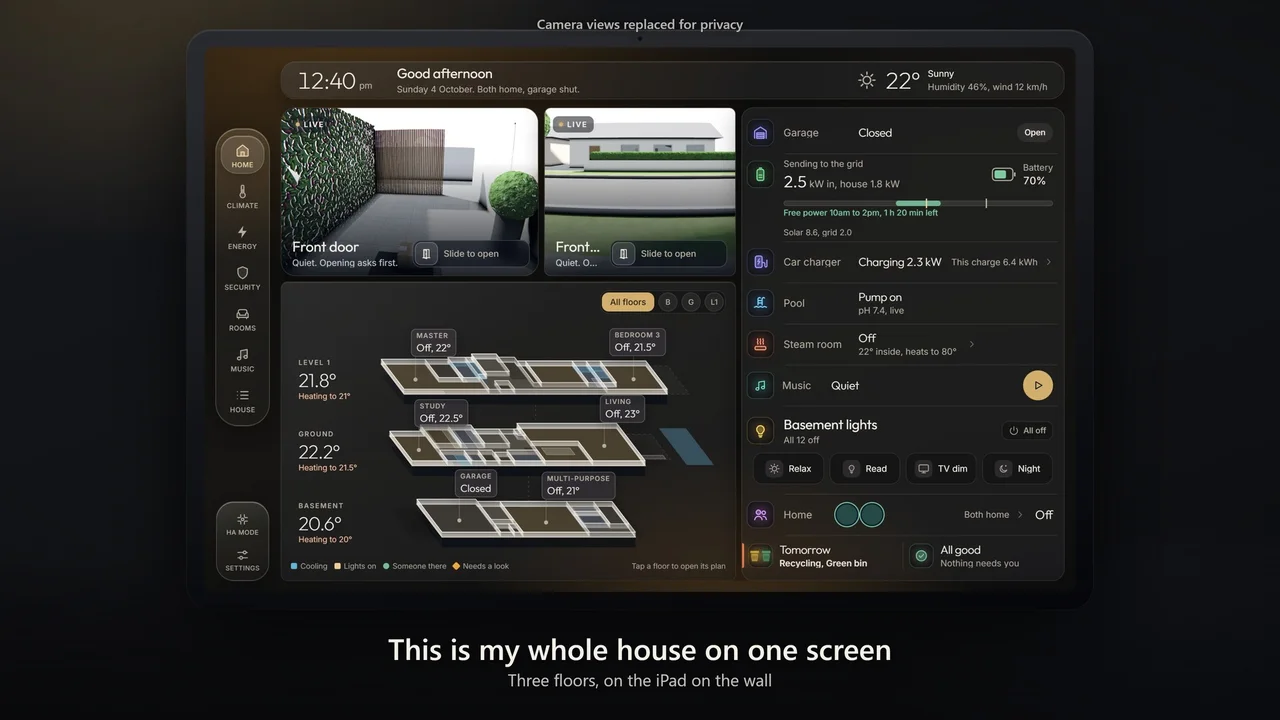
Not the default screens: dashboards your whole household actually uses. These are real screens from our demonstration home and from two client homes, a three-storey home in Melbourne and a home in Perth, in dark, light and blue.
Home / Favourites: morning greeting, who's home, lights and everyday scripts on one screen.
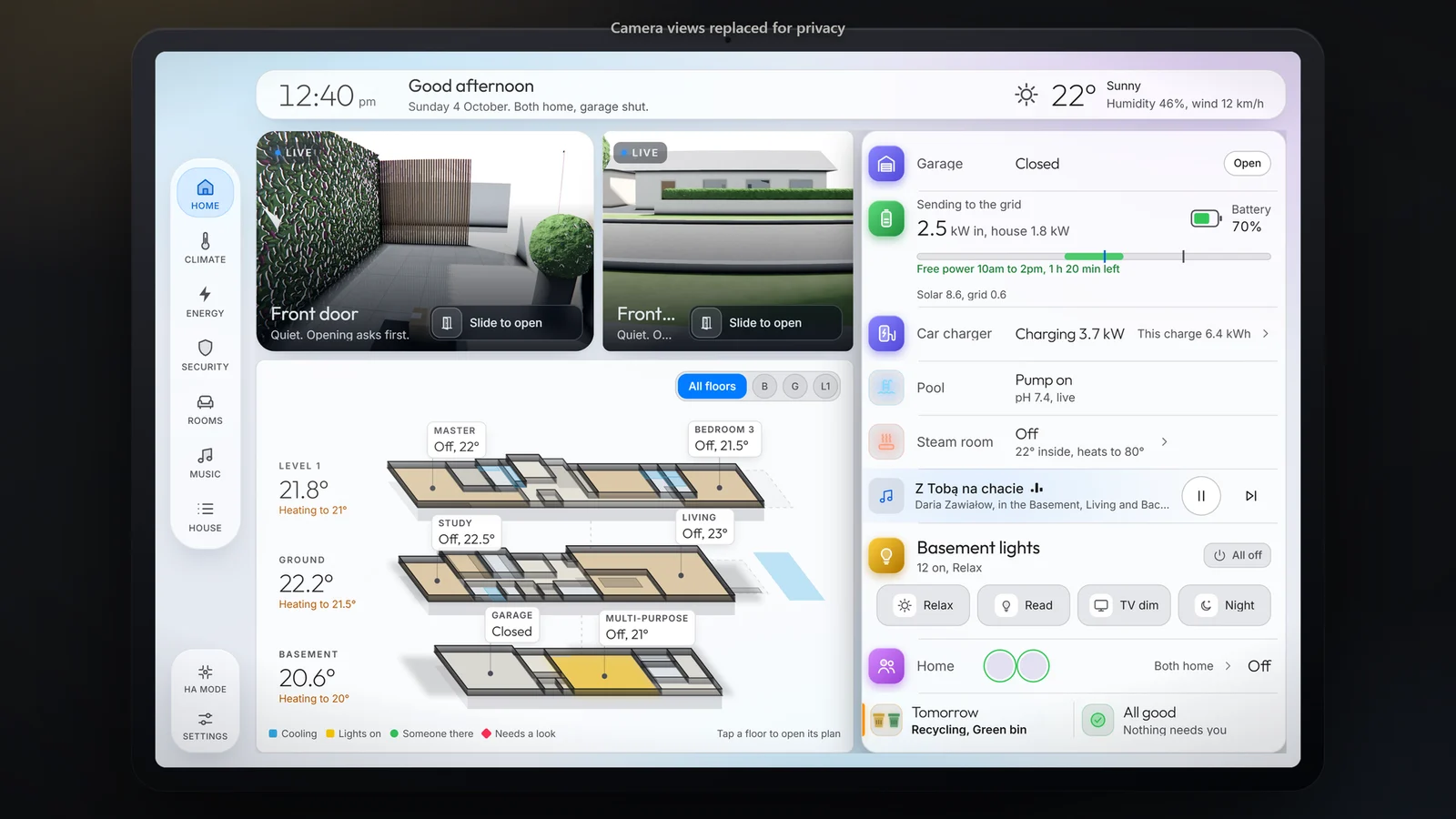
A three-storey Melbourne home in light mode. The household picks dark, light, or Auto, which follows the sun. See the project
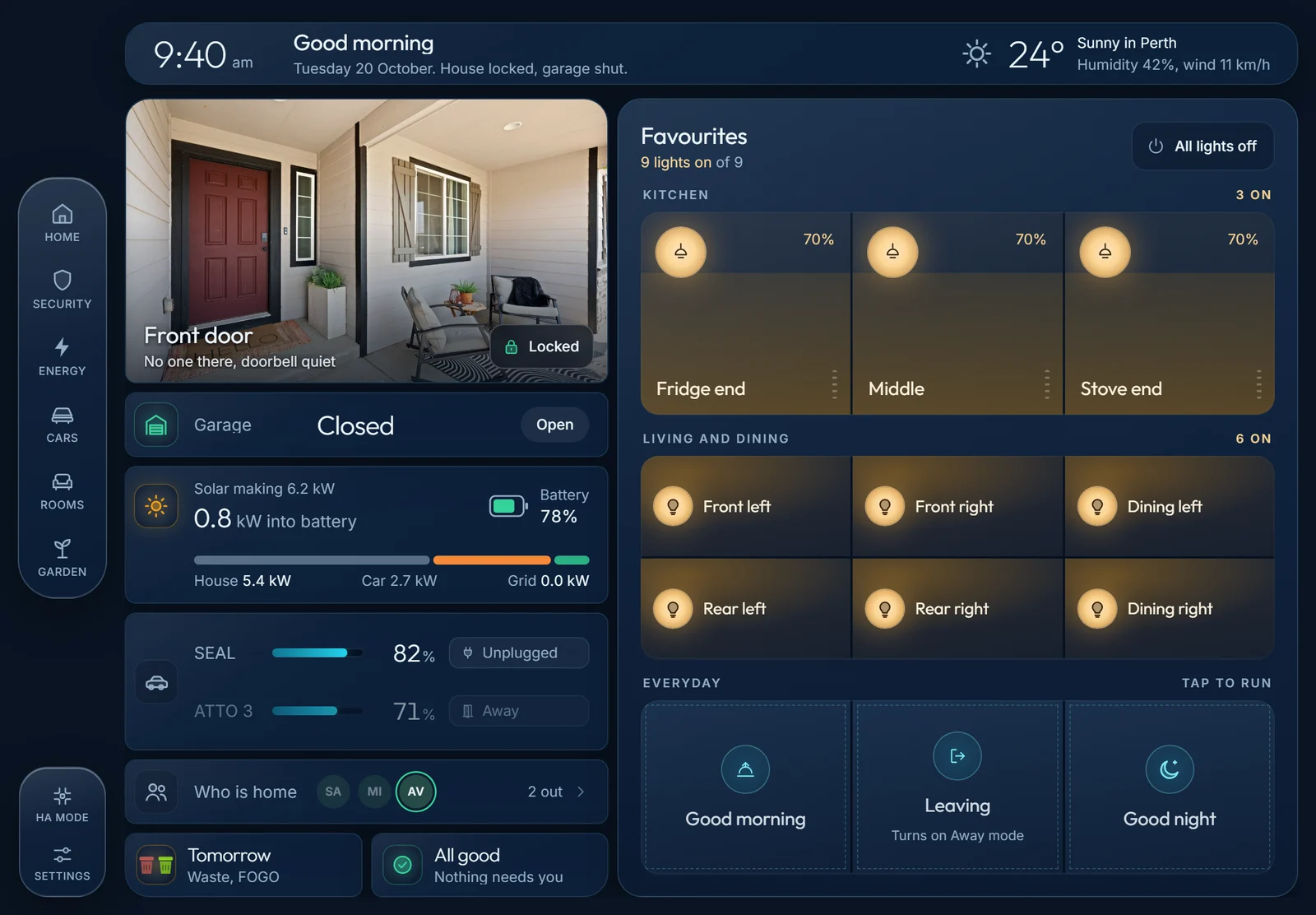
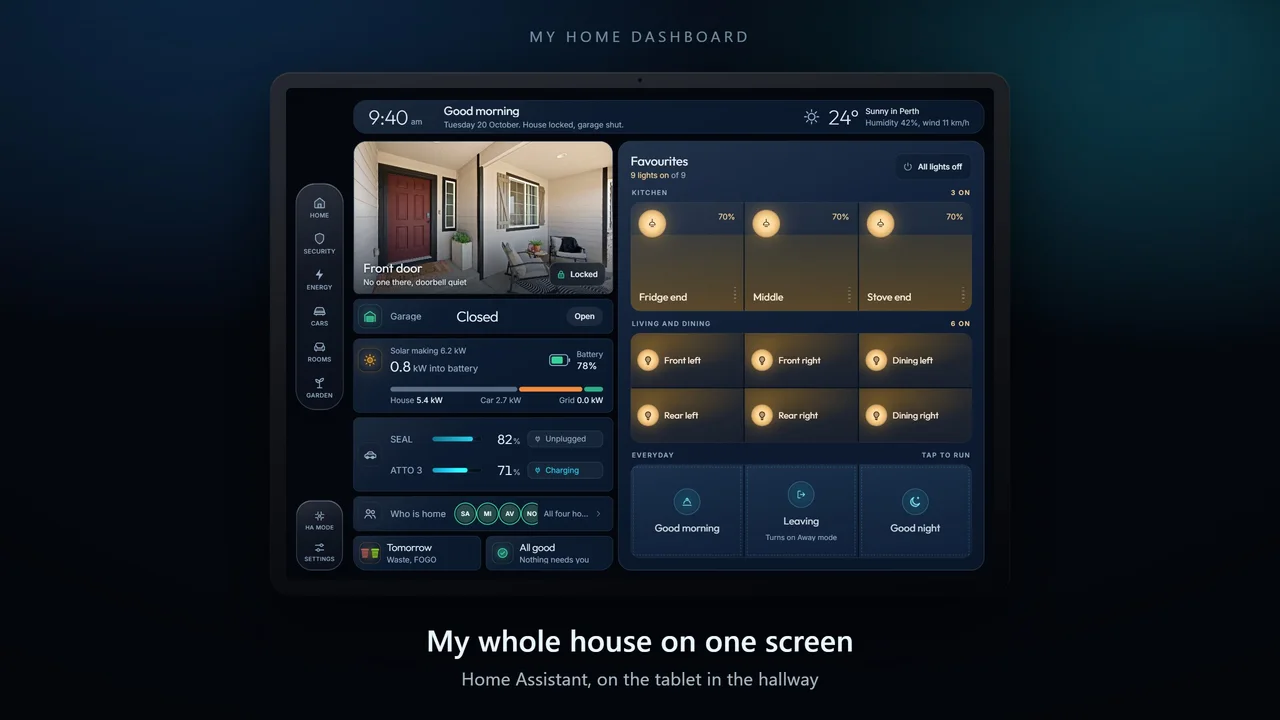
A Perth home we set up fully remotely: front door, garage, solar and battery, both cars and the lights on one screen. See the project
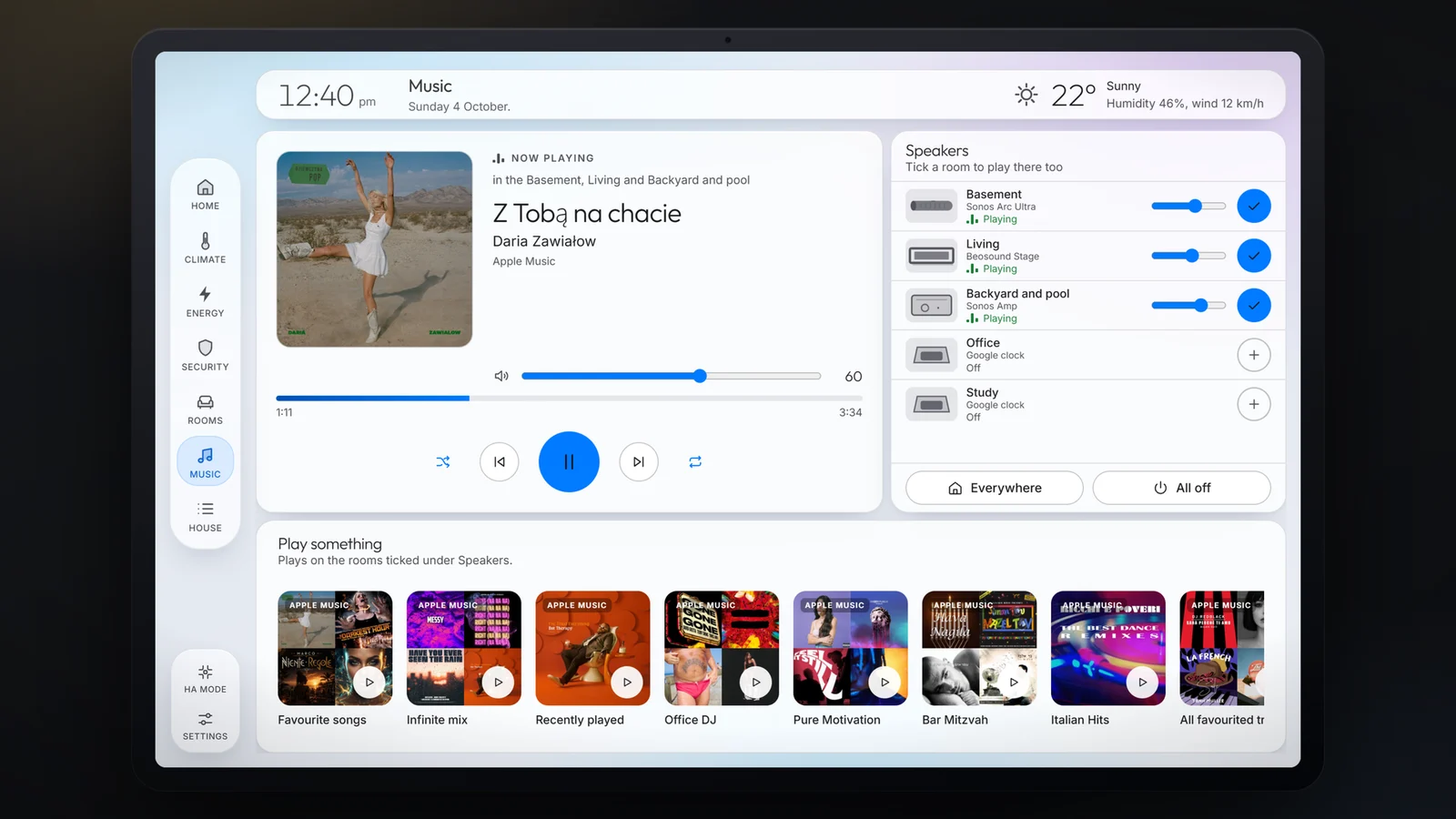
The Melbourne home's music: what is playing, which rooms it is in, and favourite playlists one tap away. See the project
Climate view: ducted air, room zones, hot water and the alfresco fan.
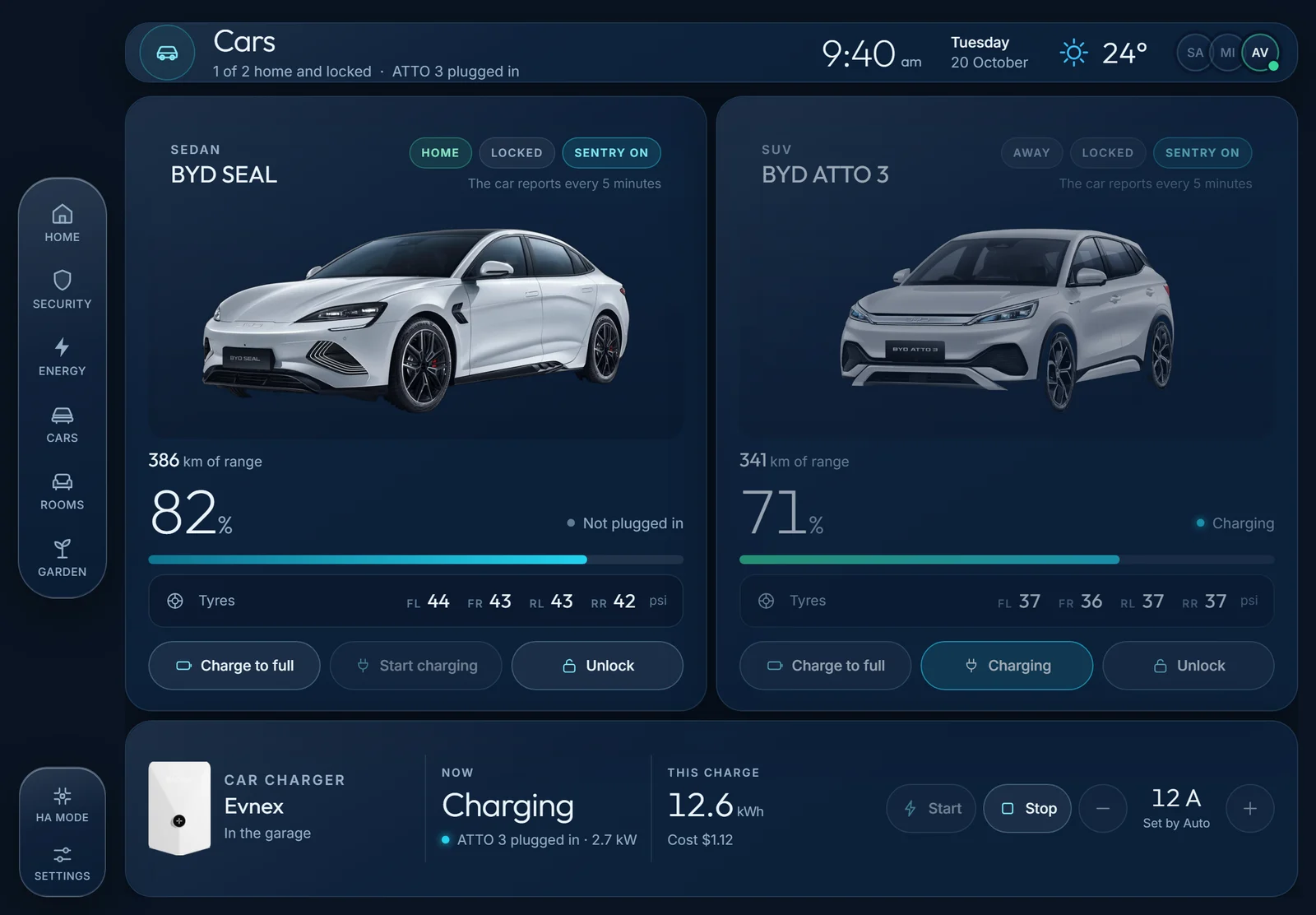
The Perth home's cars: a BYD Seal and a BYD Atto 3 with range, tyres and locks, and the charger that runs on spare sun. See the project
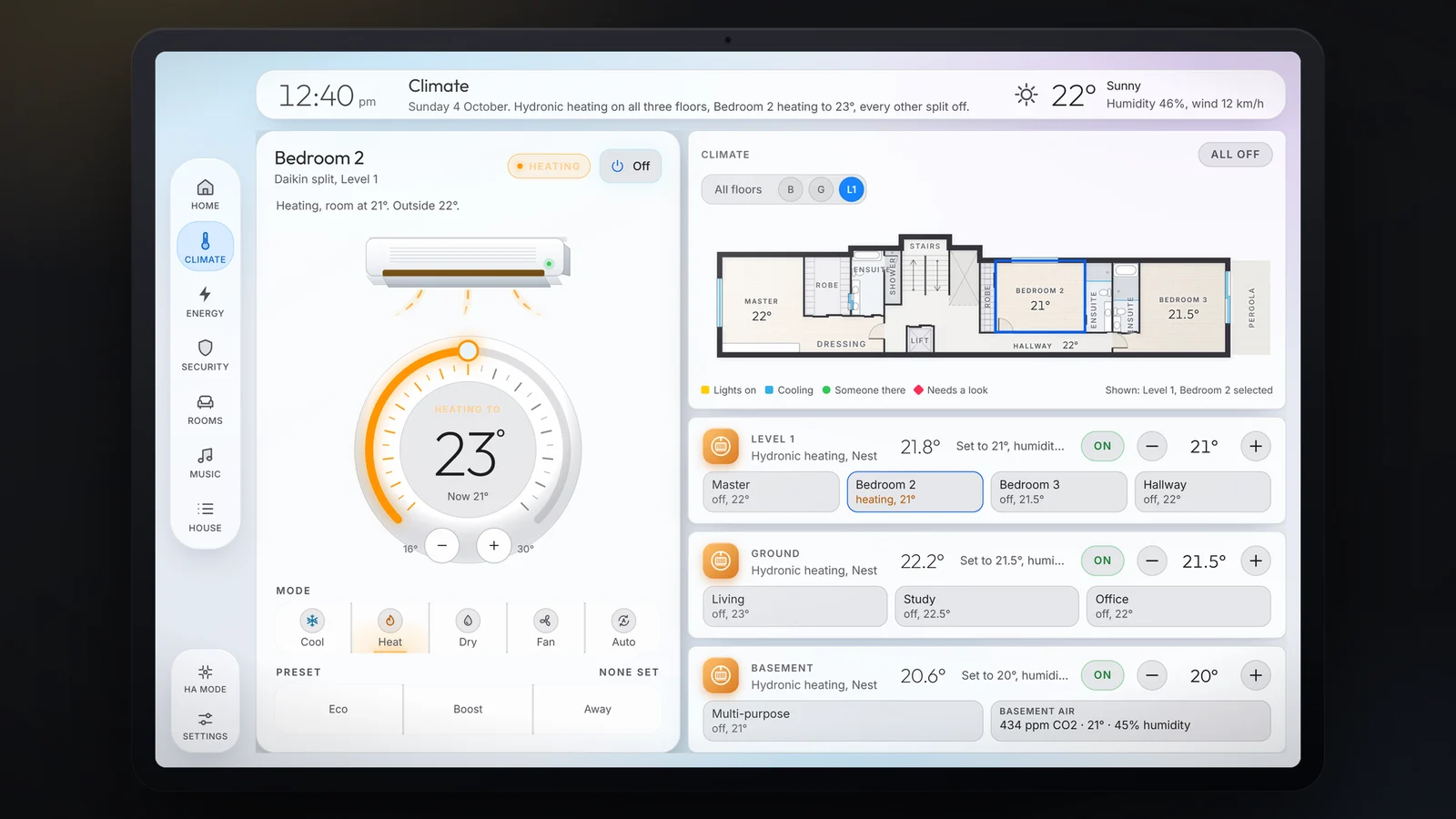
The Melbourne home's climate: hydronic heating and split systems, room by room across three floors. See the project
Energy view: solar, battery, grid and the car, with today's power flow.
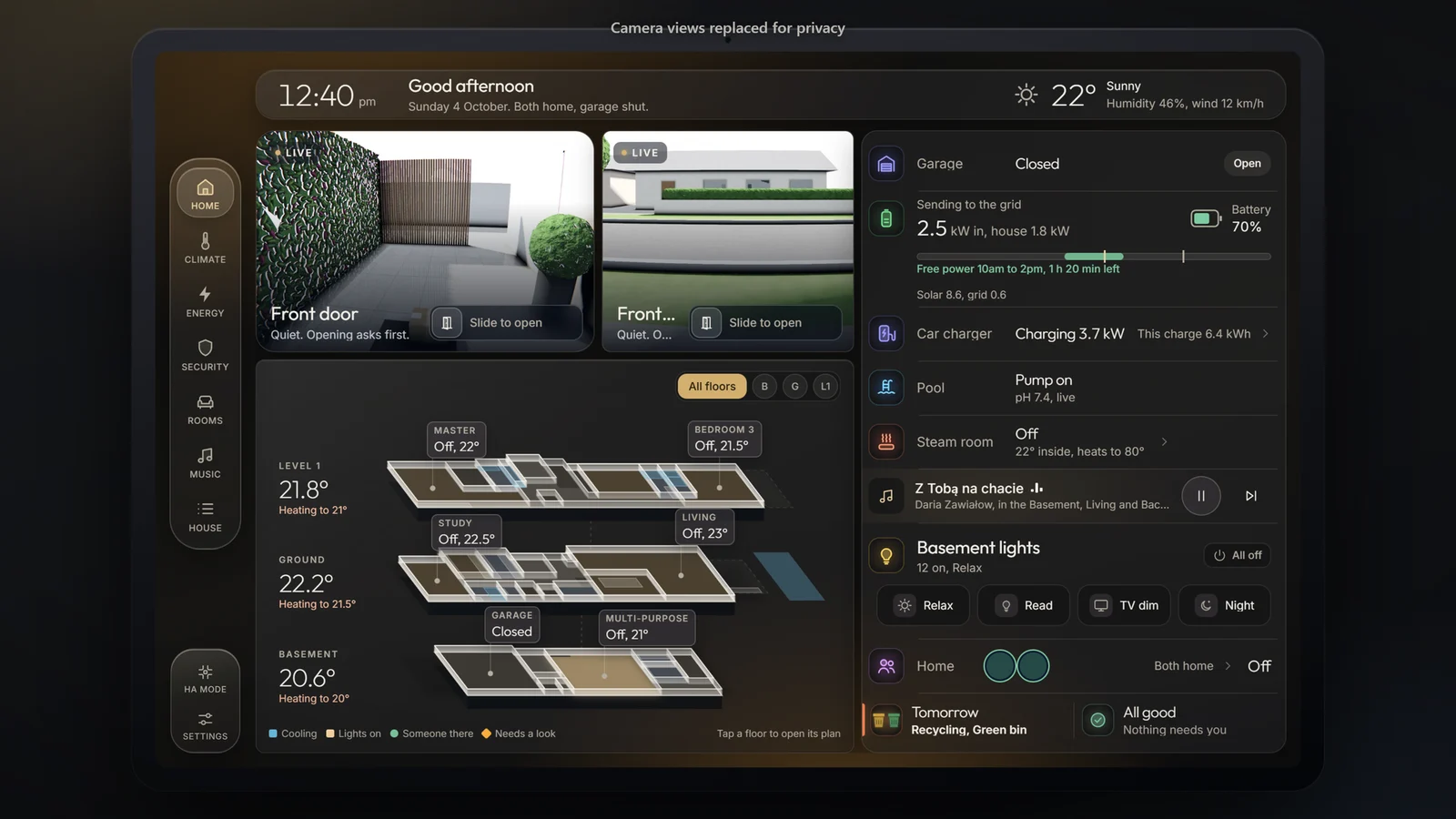
The Melbourne home in dark mode: door and gate cameras, every floor at a glance, garage, pool, car charging and bin night. See the project
Security view: alarm, cameras, doors, garage and who is home.
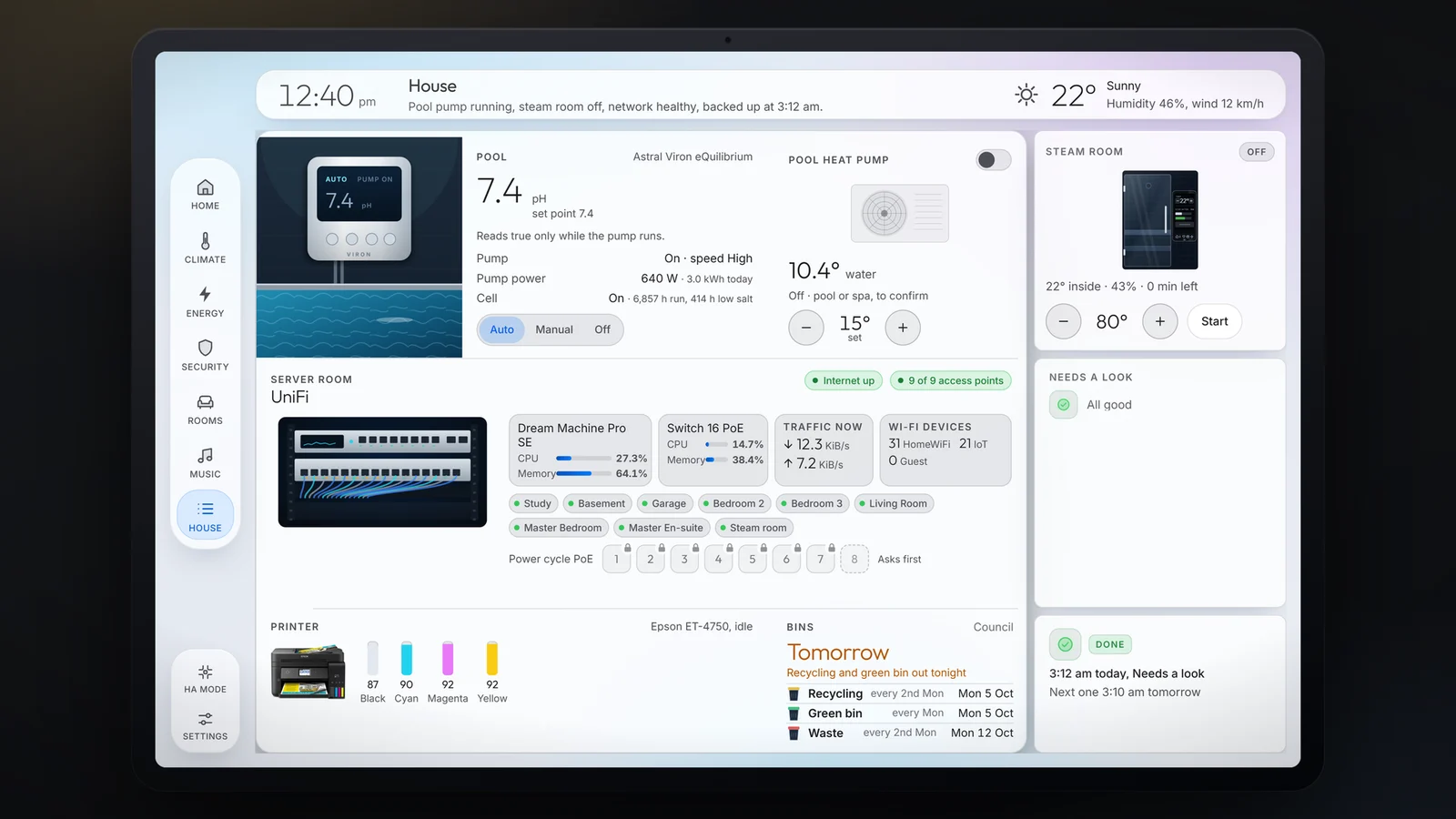
The Melbourne home's house view: pool and heat pump, steam room, the network cabinet and bin night. See the project
Rooms view: occupancy, lights and AC zones room by room, plus outside lights.
House view: system health, media, calendar, vacuum and the shopping list.
Watch the dashboard tours on YouTube
Already running Home Assistant and want dashboards like these on your own system? That's our Dashboard Studio add-on, delivered fully remote, anywhere in Australia. And the most-requested upgrade of all: the Wall Tablet Dashboard, an always-on family control panel mounted where the household spends time. Both on the Services page →
“I already run Home Assistant. I just want the dashboard.”
Yes, we can do that. We design an app-style dashboard for your wall tablet and your phone, built around your home and installed remotely, anywhere in Australia, for a home that is ready for it.
Three steps, and no homework
- Send us two screenshotsYour Integrations page and your Devices page. Or share your screen with us for 15 minutes and we will look together.
- We look at what is underneathNo report to write, no spreadsheet to build, nothing to read first.
- You get one of two answers, in writing
ReadyDashboard only, with a fixed price.Needs a tidy firstHA Boost, and we say exactly why. About HA Boost
Why we check first: a dashboard shows whatever is underneath it, so a tidy system comes first.
Sensors, not switches
The foundation of a smart home isn't remote-controlled switches; it's sensors. They continuously read the real state of your home and garden, so the house responds to what's actually happening, not a preset schedule.
Temperature & humidity
Your heating and cooling respond to real indoor conditions in each room, not one hallway thermostat's opinion or a fixed timer.
Motion & occupancy
The house knows which rooms are in use: lighting, climate and security adjust dynamically, and empty rooms stop costing you money.
Illuminance (natural light)
Measures real daylight levels, so artificial lights only come on when they're needed, and at the right brightness.
Rainfall forecast (digital sensor)
Not all sensors are physical: the next 12–24 hours of rain forecast feeds straight into irrigation decisions. Why water tonight if the sky will do it tomorrow?
Human vs pet detection
Modern camera intelligence tells a person from a pet from a passing car, so security alerts mean something and the cat stops triggering the alarm.
The result
Together, these turn a manually controlled house into an adaptive system that reacts to real-time data: the difference between a remote control and a smart home.
What a smart home does*
Plain-English recipes from real homes. See one you want? Tick it in the quote form.
Hot water heats when the sun shines
Your heat-pump hot water runs on free solar in the middle of the day instead of overnight grid power.
Needs: heat-pump HWS · solar inverter integrationEV charges in the cheapest window
The car fills up on excess solar or the cheapest tariff window, never accidentally at peak rates.
Needs: EV or smart charger · tariff or solar dataBattery saves itself for the evening peak
Charging and discharge windows tuned to your tariff, so the battery covers the expensive hours.
Needs: home battery integrationPre-cool on free power
On hot days the house cools itself on solar before the afternoon peak, then coasts through the evening.
Needs: ducted or split AC integration · solar dataBattery force-charges before the weather turns
The battery reads tomorrow's forecast: cloudy day coming, it force-charges overnight in the cheapest tariff window; sunny day coming, it leaves room to soak up free solar instead. Best of both, automatically.
Needs: home battery integration · tariff data · weather forecast (built-in)Climate that watches the forecast
Heating and cooling respond to the actual outside temperature and the day ahead, with set temperatures that shift through the day on a comfort schedule, not one static number. Running in our demonstration home today.
Needs: AC / ducted integration · weather forecast (built-in)Room-by-room temperature, without the ducted price tag
Low-cost Zigbee sensors (around $20–30 a room) give every room its own reading, so the system conditions the rooms that need it instead of blasting the whole house. Small hardware spend, real running-cost savings.
Needs: Zigbee temperature sensors · AC or zoned ducted integrationHeat and cool only the rooms you're in
Presence and motion sensors tell the house which rooms are occupied; empty rooms don't get conditioned. One of the simplest energy wins available.
Needs: motion or presence sensors · climate integrationBlinds close before the afternoon heat
West-facing blinds drop automatically when the sun swings around, so the room never bakes.
Needs: motorised blinds · sun position (built-in)Fan before AC
Ceiling fans try first; the AC only kicks in if the room's still warm 20 minutes later.
Needs: smart fans · temperature sensor · AC integrationWatering that watches the weather
Irrigation adapts to sunlight, soil moisture and the next 12–24 hours of rain forecast, so your garden gets exactly the water it needs and never a drop the sky was about to deliver.
Needs: smart irrigation controller · soil moisture sensor (optional) · rain forecast (built-in)Garden lights on real darkness
Outdoor lighting follows actual light levels and your evening, not a fixed timer that's wrong half the year.
Needs: smart outdoor lights · illuminance sensor or sun position (built-in)Cameras that know what matters
Real-time monitoring with intelligent detection: a person at the door, not a possum on the fence. Instant alerts by push, email or text, with the clip attached, wherever you are.
Needs: cameras · local detection (Pro hardware), see add-on A2The "everyone-left" check
When the last phone leaves: garage confirmed shut, doors locked, alarm armed. One notification confirms it all.
Needs: presence detection · smart lock · garage & alarm integrationLights that pretend you're home
On holidays, the house replays your normal evening lighting pattern, not a fake-looking timer.
Needs: smart lights"Washing's finished" announcement
The house tells you when the machine's done. No more forgotten wet loads.
Needs: smart plug with power monitoring, or appliance integrationMovie mode
One tap: lights dim, blinds close, TV on, phone notifications hushed.
Needs: smart lights · TV integration · optional blindsNever miss bin night
The evening before collection, the house reminds you and tells you which bins to put out this week (rubbish, recycling or green waste). A small one everyone ends up loving.
Needs: nothing extra, uses your council's collection calendarTold your way, wherever you are
Every alert and update, security events, washing done, the shared shopping list, delivered how you prefer: push notification, email or text. You choose per person, per alert.
Needs: nothing extra, built into every setupPet care on autopilot
Food and water dispensed on schedule (and topped up if the bowl runs low), with activity tracking through the day, so you know your pet's fed, watered and moving, even from work.
Needs: smart feeder / water fountain · presence or camera detectionThe litter box that keeps notes
Visit frequency and duration logged over time. Changes in routine are often the first sign something's off, giving you an early heads-up that a vet chat might be worth it.
Needs: smart litter box, or a sensor on the existing one*Every recipe depends on your specific device models and their available integrations. Your quote confirms exactly which of these your equipment supports.
Frequently asked questions
Can you design a dashboard for my existing Home Assistant?
Yes. We design dashboards on the Home Assistant you already run, fully remotely, anywhere in Australia. It starts with a free readiness check of your system.
What does a dashboard on its own cost?
It is a fixed price, quoted after the free readiness check, because every home has different devices to show. Ask for a quote.
Do I get a wall tablet and a phone version?
Yes. We design both together, so the household has the same layout on the wall and in their pocket.
Can I ask for changes after handover?
Yes. A dashboard on its own includes one week of change requests after handover. With a care plan, dashboard updates continue after that.
See a recipe you want?
Tick it in the quote form. We'll tell you exactly what it needs and what it costs in your home.
Get a tailored quote